
Make Your Wix Website HIPAA Compliant-Regardless of your Wix Plan
Wix developers and healthcare practices often ask: “Is Wix HIPAA Compliant?”
Yes, Wix provides HIPAA infrastructure and provides a BAA for certain plans. However, with HIPAAtizer, you can continue using
Wix on any plan while securely collecting Protected Health Information (PHI).
Use HIPAAtizer forms on any Wix plan, even their non-HIPAA Compliant plans, for the best and most secure form solution for your practice.
Take advantage of HIPAAtizer’s best in class functionalities to style your forms, your way. Also you the embedded AI to build or convert your existing forms in minutes.

Is Wix HIPAA Compliant?
Wix introduced a HIPAA-Compliant mode and Business Associate Agreement (BAA) for certain plans in 2026. However, you’re happy with your existing plan, that is not HIPAA Compliant, but you’re still concerned about HIPAA.
With HIPAAtizer’s HIPAA-Compliant forms, you can securely collect patient information on any Wix plan.
So no need to change plans! Just add HIPAAtizer.
This allows you to continue building and managing your Wix website while ensuring sensitive healthcare data is handled in a HIPAA-Compliant environment.
Explore our demo Wix site to see how it works.
How HIPAAtizer Enables HIPAA Compliance on Wix
HIPAAtizer integrates HIPAA-Compliant forms directly into your Wix website. Data entered into the form bypasses Wix servers, flowing securely to HIPAAtizer’s HIPAA-Compliant cloud storage. This setup ensures that information collected through these forms fully adheres to HIPAA standards.
Key features include:
SECURE DATA HANDLING
Data collected through HIPAAtizer forms is encrypted and stored in accordance with HIPAA regulations, providing a high level of protection for sensitive information.
BUSINESS ASSOCIATE AGREEMENT (BAA)
HIPAAtizer offers a BAA to establish a compliant partnership for managing Protected Health Information (PHI).
How can you add a HIPAA-Compliant form to your Wix website?
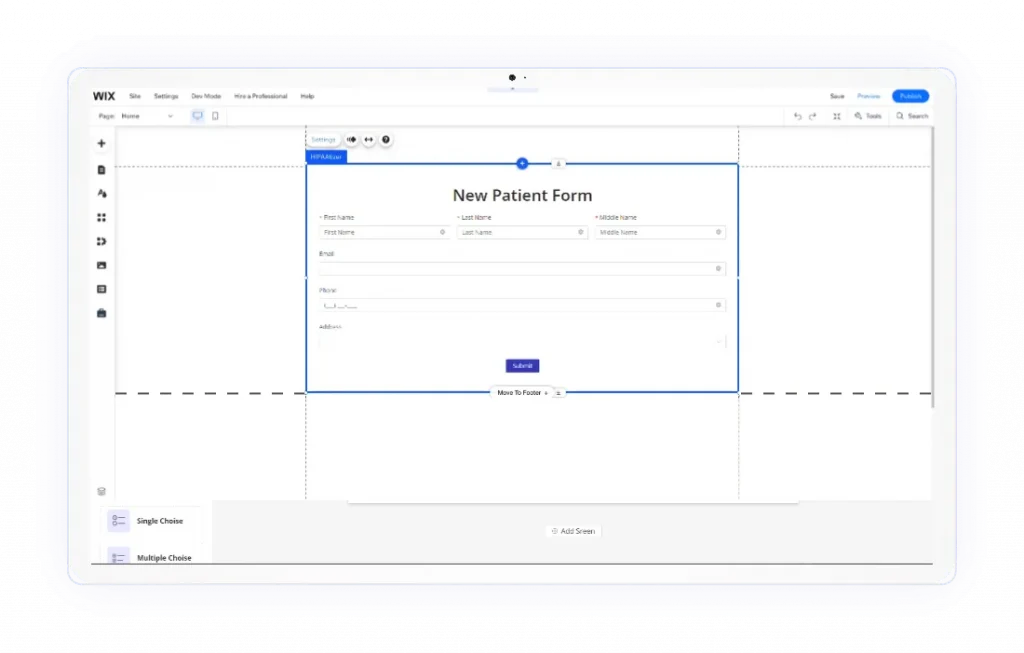
That’s where the HIPAAtizer Wix App comes in. With HIPAAtizer you can add fully HIPAA-Compliant forms to your Wix website and ensure that all PHI (Protected Health Information) collected through your website is encrypted and stored securely. HIPAAtizer also provides a BAA to its users. You can continue building beautiful websites on Wix while HIPAAtizer handles the secure collection and storage of healthcare data. Developers stay focused on design and user experience, while doctors receive submissions securely without needing access to the Wix dashboard.
Benefits of Using HIPAAtizer with Wix

Branding
Build and maintain beautiful websites on Wix, and add styled HIPAA-Compliant forms from HIPAAtizer.

Custom design
Create custom forms and style them to your Wix website design. Add custom printable templates for submissions.

Templates
Use HIPAAtizer out-of-the-box form templates to get started.

Integration
Embed forms into your Wix website with short code. The HIPAAtizer team can help you to add a form to your Wix website.

Need help? Our team will convert a form and will match it to the original PDF design.
Upload your form to our conversion service. One form is always free.
Step-by-Step Guide to Adding HIPAA-Compliant Forms to Wix
2
Use the Wix App
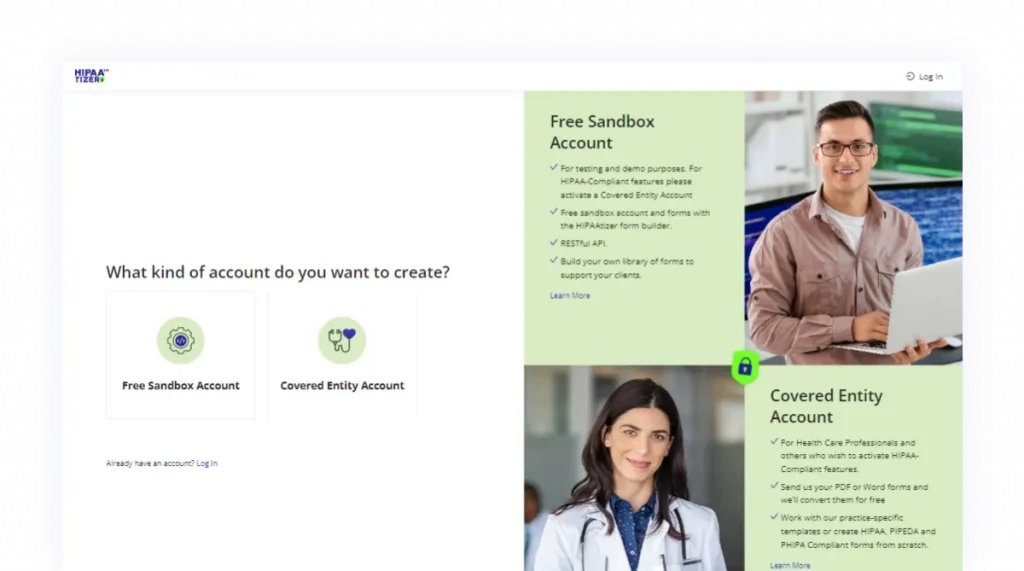
Install the HIPAAtizer app from the Wix App Market and follow the prompts after downloading or check out our step by step instructions here. Then, add a HIPAA-Compliant form to a Wix website.
3
Enable HIPAA Compliance
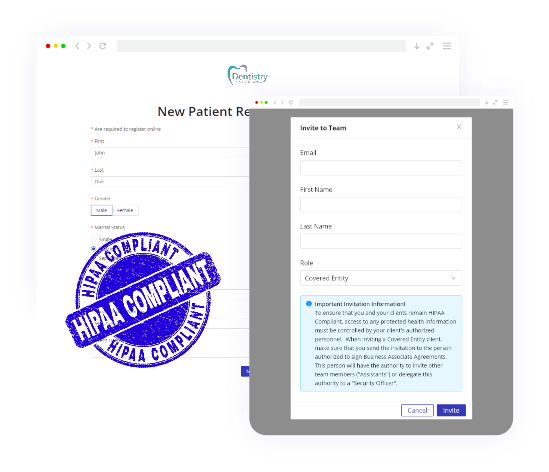
Choose the plan if you are a Covered Entity or invite a Covered Entity if you are a developer.
“Found the HIPAAtizer app on the Wix App Marketplace for my wellness studio site. Glad I didn’t have to switch from Wix to stay HIPAA compliant. In addition, their form conversion service saved me a ton of time.”
Rina, Web Designer
Learn more about HIPAAtizer Features
CONVERT PDF FORM
Easily convert PDF or Word forms to online HIPAA-Compliant forms with HIPAAtizer. These new HIPAA-Compliant online, printable forms will be based on the original designs, so you don’t lose time and money adapting to new forms.
HIPAA COMPLIANCE
Protected Health Information (PHI) must be encrypted at rest and in transit if your online forms are going to be fully HIPAA Compliant. Learn more about HIPAA regulations and requirements.
E-SIGNATURE
When you use HIPAAtizer for your HIPAA-Compliant online forms, you have the ability to sign your forms with your E-signature for added convenience.
ePAYMENTS
Stripe and PayPal integrations in HIPAAtizer allow you to accept payments from your customers quickly and efficiently.
Frequently Asked Questions
Wix now offers a HIPAA-Compliant mode and Business Associate Agreement (BAA) for certain plans. When properly configured, this allows Wix to support HIPAA requirements.
However, many developers and healthcare practices use standard Wix plans where built-in forms are not designed for collecting Protected Health Information (PHI).
By using HIPAAtizer’s HIPAA-Compliant forms, healthcare websites can securely collect patient information on any Wix plan while keeping PHI stored in a dedicated HIPAA-compliant environment.
But, be careful! While the Wix environment might be HIPAA Compliant with the right plan, if you’re using other third party apps in the website, you need to be sure that they don’t access any PHI, otherwise, you might be violating HIPAA! With HIPAAtizer, due to our unique architecture, any data collected or transmitted in a HIPAAtizer form is guaranteed to be HIPAA Compliant.